Skip to content
CLOUDWLC

Hosted UniFi and cnMaestro controllers · by Optaro

Your wireless network.Your cloud controller.None of the server work.

CloudWLC hosts and runs your wireless LAN controller in the cloud, and moves your existing estate onto it. Keep your access points. Keep control. Skip the infrastructure.

  • Keep your existing APs
  • No server to install
  • You control the switch
10,000+access points deployed for major hospitality venues, worldwide
Hospitality firstHotels, resorts and venues where Wi-Fi is part of the guest experience.
Assurance specialistsThe team behind Optaro Assure and Optaro Connect.
One teamBuilt, hosted and supported by Optaro, UK.

Why CloudWLC

Your existing network, easier to manage.

Keep the access points you already own and move their management to a controller that is yours: hosted, secured and operated by the network assurance specialists at Optaro.

Hosted controllers

A controller without the server work

We provision the server, configure the controller, issue trusted HTTPS and keep it running. You get an address and a login.

Guided migration

Migration built into the product

A guided workflow collects your existing settings and CloudWLC prepares the new controller. No files to export, no re-keying.

Multiple sites

One account, the controllers you need

A controller manages many sites. Add further controllers for regions or clients, all on one dashboard.

Controlled changeover

Prepared before you switch

See exactly what is ready and which devices are included. Nothing moves until you choose Switch to CloudWLC.

Platforms

One home for your wireless controllers.

A wireless LAN controller should not tie you to a server room or to one vendor’s cloud. CloudWLC is where your controllers live, whoever made the access points on your ceilings.

CambiumcnMaestro

Hosted cnMaestro, with migration built in.

We host the cnMaestro On-Premises software edition in our cloud. “On-Premises” is Cambium's name for the edition; it does not mean a server in your building. Sign up, deploy, and move your estate across from Cambium Cloud.

  • A dedicated cnMaestro controller, hosted and operated for you
  • Guided migration from Cambium Cloud with the CloudWLC Chrome extension
  • Your WLANs, AP groups and devices prepared and verified before you switch
UniFiUniFi Network

Hosted UniFi Network, without the box in the cupboard.

A dedicated UniFi Network controller in our cloud, in place of a Cloud Key, a console on site or a server you look after yourself. Every site and every client in one controller, reachable from anywhere at its own secure address.

  • A dedicated UniFi Network controller, hosted and operated for you
  • Bring your existing sites across with UniFi's own backup and site migration, guided step by step
  • Backups, monitoring and controller updates handled for you
ArubaRuckusMixed estates

Running Aruba or Ruckus?

Plenty of estates are not one vendor, and plenty of controllers are still sitting on a server somebody has to look after. Tell us what you run, how many access points and where, and we’ll talk through how CloudWLC fits your estate.

  • A conversation with network engineers, not a sales script
  • Advice grounded in real hospitality deployments
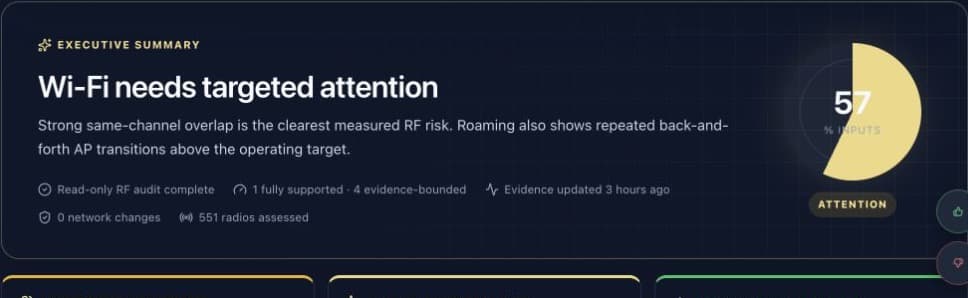
  • Optional RF audit to baseline the network first

How it works

Create. Connect. Import. Switch.

Four stages take you from sign-up to a fully managed estate. The portal guides each one, and you see what will happen before it does.

Create your account and deploy a controller.

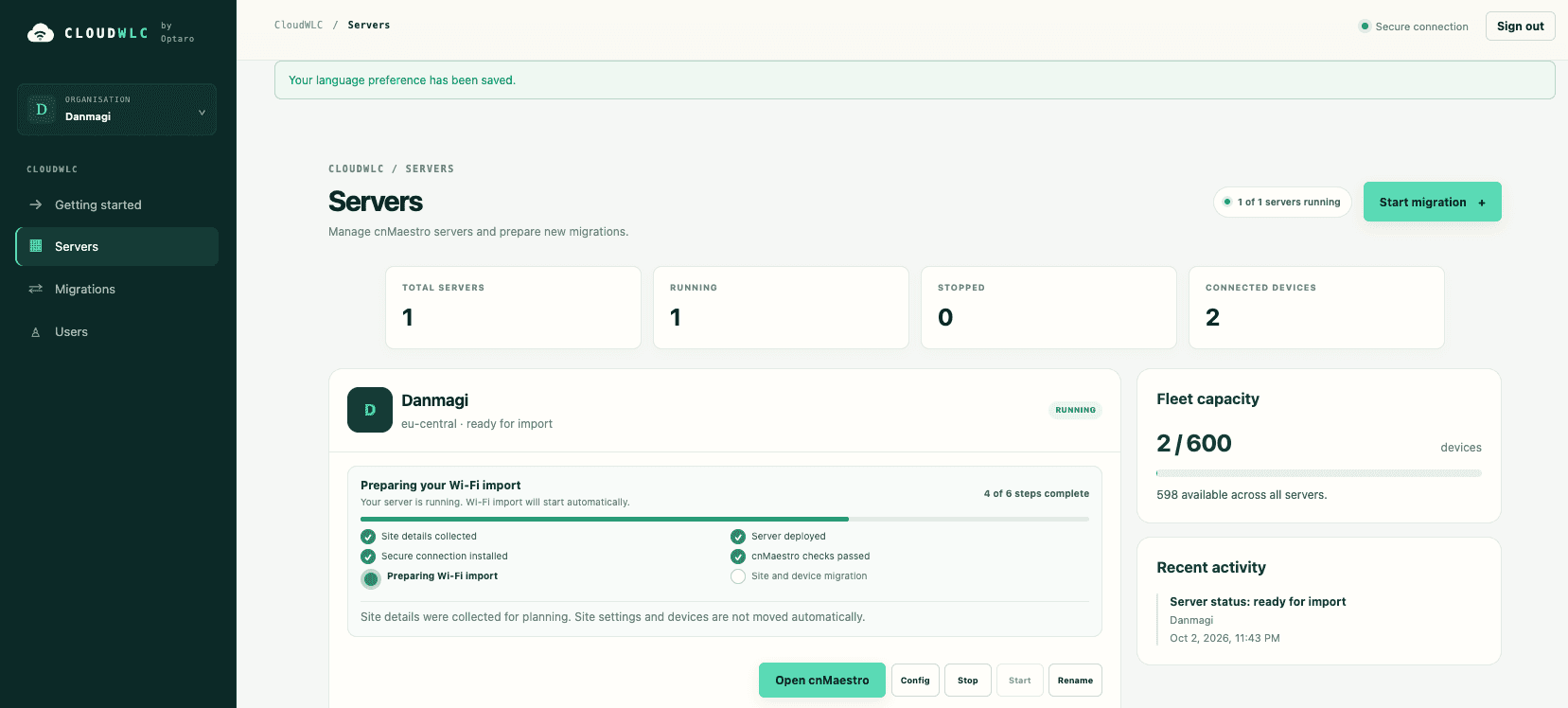
Sign up, pick your controller type, name your server and choose a plan. CloudWLC builds the rest and tells you when it is ready.

  • The server is provisioned and the controller configured for you
  • Your own address, such as northstar.cloudwlc.com, with trusted HTTPS
  • Readiness is checked automatically — no consoles, no certificates

What you need to start

  • A login for your current controller
  • Google Chrome
  • Compatible access points

The CloudWLC extension

You stay signed in. We never ask for the password.

Migration runs through a Chrome extension in your own browser. You sign in to your existing cloud controller exactly as you do today; the extension collects supported configuration from that session and sends it straight to your CloudWLC workspace.

Sign-in
Stays between you and your current provider. CloudWLC does not ask for, or store, that password.
Transfer
Configuration goes directly to the controller you paired. No downloading files and uploading them again.
Visibility
A clear summary of AP groups, WLANs and devices, with progress and anything needing attention.
Switch
The same connected session applies the change that points your access points at the new controller — when you say so.

Keep the browser open and signed in while collection and the switch are running — the connected session is part of the workflow.

Cambium Extension-driven migration from Cambium CloudUniFi Guided backup and site migration

Accounts, controllers and sites

One account, the servers you need.

Your account owns one or more dedicated controllers, UniFi Network or cnMaestro, in any mix. Each controller manages many sites — a hotel group does not need a server per property — and MSPs can keep client estates apart inside a controller or give a client one of their own.

Account

One sign-in for your organisation. See every controller, its address, status and subscription, and add another in a few clicks.

Controllers

Each is a dedicated server for you, running UniFi Network or cnMaestro — never shared with unrelated customers. Add more for regions, scale, maintenance schedules or isolation.

Sites & client estates

Organise properties and branches as sites. MSPs keep clients apart within a controller: as sites on UniFi, or with Managed Accounts on cnMaestro where the entitlement allows.

Security and hosting

Secure by default. Hosted in Europe.

Controllers are hosted in the European Union today, in Germany and Finland, with UK, USA and Asia-Pacific regions coming shortly.

Hosting regions

  • GermanyNuremberg · Falkenstein
  • FinlandHelsinki
  • United KingdomComing shortly
  • USAComing shortly
  • Asia-PacificComing shortly

Data centre certifications

ISO/IEC 27001:2022 · Hetzner

Hetzner's information security management system is certified to ISO/IEC 27001:2022, covering the infrastructure and operation of its Nuremberg, Falkenstein and Helsinki data centre parks.

BSI C5 · Type 2 · Hetzner

Hetzner's cloud services hold a BSI C5 Type 2 attestation, the German Federal Office for Information Security's criteria catalogue for cloud security.

These certifications are held by Hetzner, our infrastructure provider, and cover the data centres and cloud platform your controller runs on. View Hetzner’s certificates

01

A controller of your own

Every controller is a dedicated server for one customer. Unrelated customers never share a controller.

02

Trusted HTTPS, always

Each controller gets its own address with a trusted certificate, issued and renewed for you.

03

Your vendor login stays yours

Migration runs through your own signed-in browser session. We never ask for that password.

04

Backed up automatically

Controller backups are taken for you and kept for 7 to 90 days, depending on your plan.

05

Kept up to date

We manage controller software updates, so security fixes are not waiting on someone's spare afternoon.

06

Watched by an assurance team

Controller health is monitored by the people who build Optaro Assure.

From the network assurance specialists

Run by the people who build hospitality networks.

CloudWLC is built and operated by Optaro. We have deployed more than 10,000 access points for major hospitality venues around the world, and we build the platforms that monitor and assure those networks every day. Hosting your controller is the same discipline, applied to the part of the network you would rather not run yourself.

10,000+access points deployed for major hospitality venues, worldwide

Pricing

A subscription per controller. That’s it.

Each plan is a dedicated hosted controller with a device allowance. Cambium and UniFi have their own plans; pick one when you deploy, and change it as your estate grows.

Wireless platform
Billing period
Two months free with annual billingPrices in GBP, excluding VAT.
30-day money-back guarantee10% discount from your 3rd controller · 20% discount from your 10th controller

A dedicated hosted cnMaestro controller, with the guided migration from Cambium Cloud included.

cnMaestro

Essential

Single sites and small estates

£49per controller, per month
Billed monthly

One hosted cnMaestro controller for a single property or a small group of sites.

Included devices:up to 50

Recommended

Plus

Hotel groups and multi-site businesses

£119per controller, per month
Billed monthly

A larger allowance for hotel groups and growing multi-site estates.

Included devices:up to 200

cnMaestro

Scale

MSPs, installers and large estates

£249per controller, per month
Billed monthly

For MSPs and installers running several client estates and controllers.

Included devices:up to 600

VolumeCambium · over 600 devices · self-service

More devices than the largest plan? Price it here. One subscription covers the whole estate, spread across as many dedicated controllers as it needs, with the per-device rate falling as you grow.

£1,194per month

£0.24 per device per month · 2 dedicated controllers included

Reserve this price

Prices in GBP, excluding VAT. Two months free with annual billing. Have a budget in mind? There’s a box for it on the next step.

FAQ

Straight answers.

The questions hotel operators, IT teams and installers ask before they move a network.

Ask us something else
What is CloudWLC, and what does it host?

CloudWLC is a fully managed hosting and migration service for wireless LAN controllers — the “WLC” in the name. We host and operate your controller for you, deploy it automatically, and give you a guided way to move an existing estate onto it.

For UniFi networks, that is a dedicated UniFi Network controller. For Cambium networks, it is the cnMaestro On-Premises software edition, running in our cloud. “On-Premises” is Cambium's name for the self-hosted edition of the controller. It does not mean anything is installed at your premises.

Which wireless vendors does CloudWLC work with?

CloudWLC is a home for wireless LAN controllers rather than a single-vendor product. Cambium and UniFi estates are self-service: create an account, choose your controller — cnMaestro for Cambium, UniFi Network for UniFi — and deploy it. Cambium estates also get the guided migration from Cambium Cloud described on this site; UniFi sites come across using UniFi's own backup and site migration, with step-by-step guidance.

If you run Aruba or Ruckus, or a mix of vendors, tell us about your estate and we will talk through how CloudWLC fits it.

Who is behind CloudWLC?

CloudWLC is built and operated by Optaro, the network assurance specialists. Optaro has deployed 10,000+ access points deployed for major hospitality venues around the world, and builds Optaro Assure (network monitoring and wireless RF audits) and Optaro Connect (hotel Wi-Fi and guest access). The same team hosts and supports your controller.

Do I need a server at my premises?

No. Your controller runs on infrastructure that CloudWLC provisions, secures with trusted HTTPS and operates. You reach it at your own address, such as northstar.cloudwlc.com. There is no hardware to buy, no virtual machine to build and no operating system to maintain.

Where is my controller hosted, and how is it secured?

Controllers are hosted in the European Union today, in Germany and Finland, with UK, USA and Asia-Pacific regions coming shortly. Every controller is a dedicated server for one customer, reached over trusted HTTPS, backed up automatically, kept up to date and monitored by Optaro.

Your controller runs in Hetzner data centres. Hetzner's information security management system is certified to ISO/IEC 27001:2022, covering the infrastructure and operation of its Nuremberg, Falkenstein and Helsinki data centre parks. Hetzner's cloud services hold a BSI C5 Type 2 attestation, the German Federal Office for Information Security's criteria catalogue for cloud security. These certifications are held by Hetzner, our infrastructure provider, and cover the data centres and cloud platform your controller runs on.

Can I keep my existing access points?

Yes. Your compatible access points stay installed exactly where they are. Migration changes which controller manages them; it does not replace them.

Do I need one controller for every site?

No. A controller manages multiple sites, so a hotel group or a business with many branches normally runs on a single controller with each property set up as a site.

Can I run several controllers under one account?

Yes. One CloudWLC account can own several controller servers — UniFi Network, cnMaestro or a mix — each with its own name, address and subscription, all visible on one dashboard. Additional controllers are useful for geographic separation, scale, different maintenance schedules or stronger isolation between estates.

Can an MSP separate its clients?

Yes. Within one controller you can keep each client's estate separate: on UniFi each client is its own site with its own administrators, and on cnMaestro Managed Accounts do the same job, subject to the applicable cnMaestro software entitlement. Where you want harder separation — by client, region or maintenance window — you can run additional controllers under the same CloudWLC account.

Your controller is dedicated to you. Unrelated CloudWLC customers do not share a controller.

How does the Chrome extension work?

The CloudWLC portal walks you through installing the extension and pairing it with the controller you are migrating to. You then sign in to your existing cloud controller as you normally would, in your own browser — the extension-driven migration is built for estates moving from Cambium Cloud. The extension collects supported configuration and estate information from that session and sends it straight to your CloudWLC workspace, so there are no files to download and re-upload.

Do I give you the password for my existing controller?

No. Sign-in stays between you and your current provider, in your own browser. CloudWLC never asks for that password, and the extension works through the session you have already opened.

What happens when I click Switch?

Before you switch, the portal shows you the access points you selected and the address of your new controller. When you choose Switch to CloudWLC, the connected extension uses your own signed-in session to apply the supported management setting that points those access points at your new controller. The portal then reports progress as each device checks in, and flags any device that needs a closer look.

Nothing is switched until you start it, and you choose which devices are included.

Does my browser need to remain connected during extension-driven migration?

Yes. The extension works through your own signed-in browser session, so keep that browser open and signed in while collection and the switch are running. The portal shows whether the extension is connected and what has completed, so you can see where things stand.

Is every cloud feature supported?

CloudWLC migrates the core of a Wi-Fi estate: supported WLANs, AP groups, devices and their related configuration. A hosted controller and a vendor's cloud service are different editions of the software, so some cloud features, device models and firmware versions behave differently or are not carried over.

You do not have to guess. After collection, the portal shows what has been prepared and lists anything that needs your attention before a single device is switched. If you rely on a specific feature, talk to us and we will check it against your estate.

Will migration interrupt service?

Switching changes the controller that manages your access points, so treat it as a planned change. Access points reconnect to their new controller as part of the move, and behaviour can vary by model and firmware.

CloudWLC is designed to keep that change controlled: the destination is fully prepared and verified first, you choose which devices move and when, and you can start with a single site or a small group before moving the rest. We recommend switching during a quiet period for your business.

Is CloudWLC affiliated with Cambium, Ubiquiti or any other vendor?

No. CloudWLC is an independent service from Optaro. It is not affiliated with, endorsed by or operated by Cambium Networks, or by any other equipment vendor named on this site. Cambium Networks, cnMaestro, Aruba, RUCKUS and UniFi are trademarks of their respective owners and are used here only to describe compatibility.

Ready to bring your network to CloudWLC?

The portal opens soon. Reserve your place now and your first hosted controller is a few clicks away on launch day. Your access points stay exactly where they are.

30-day money-back guarantee · No server to install